
Notes
The note is where captured information becomes knowledge.
Write directly or continue with material from a meeting, voice recording, interpretation session, or image. Notes keep it editable, searchable, and ready for later work.
HOW IT WORKS
From input to reusable knowledge.
Notes are the destination layer in MemoFlow: meetings become notes, OCR text becomes notes, and MemoFlow AI works with the notes you choose.
01
Write or bring captured material in
02
Edit and organize the note
03
Search, review, export, or use it with AI
CAPABILITY
What MemoFlow does at each step.
- Block-based editing
- Offline notes and sync
- Markdown, PDF, and DOCX export
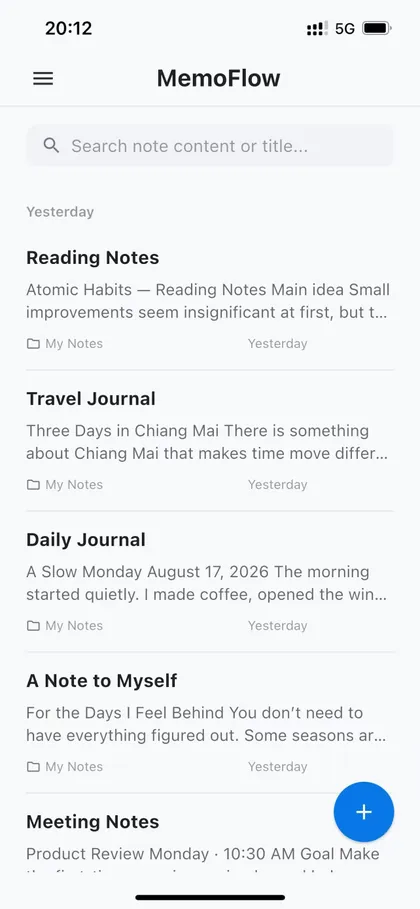
Block-based editing
Shape complex ideas with familiar content blocks.
Offline notes and sync
Keep writing when the network is unreliable.
Markdown, PDF, and DOCX export
Take your work with you in useful formats.
Good to know: Notes can work offline and sync when the network returns; some AI, attachment, and cloud capabilities require a connection.
ONE WORKSPACE
Where this goes next.
A recording, transcript, or OCR result is more useful when it does not end as a separate file. In MemoFlow, it can continue as a note alongside the rest of your knowledge.
KEEP EXPLORING
It works with the rest of MemoFlow.
Where to go next
Bring MemoFlow into your day.
Download MemoFlow and start capturing in the way that fits the moment.