
Choose the context. Inspect the answer. Keep control.
MemoFlow AI works inside the notes or passages you choose, not from an empty chat detached from your knowledge. Ask or transform, inspect the result, and confirm important changes before they are applied.
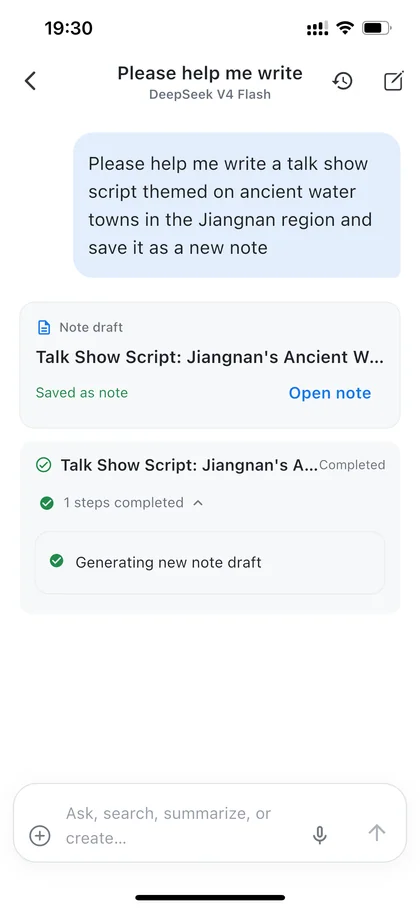
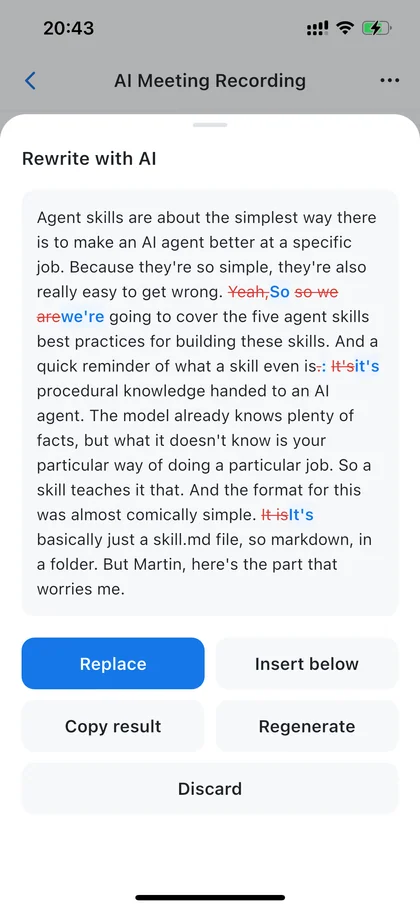
From input to reusable knowledge.
MemoFlow AI is the AI layer inside the personal knowledge workspace. It uses user-selected note context for the current request and keeps consequential changes reviewable.
Choose the notes or passage AI can use
Ask a question or request a transformation
Inspect the result and available sources
Confirm important changes before applying them
What MemoFlow does at each step.
- Note-aware answers
- Inspectable results
- Confirmation before important changes
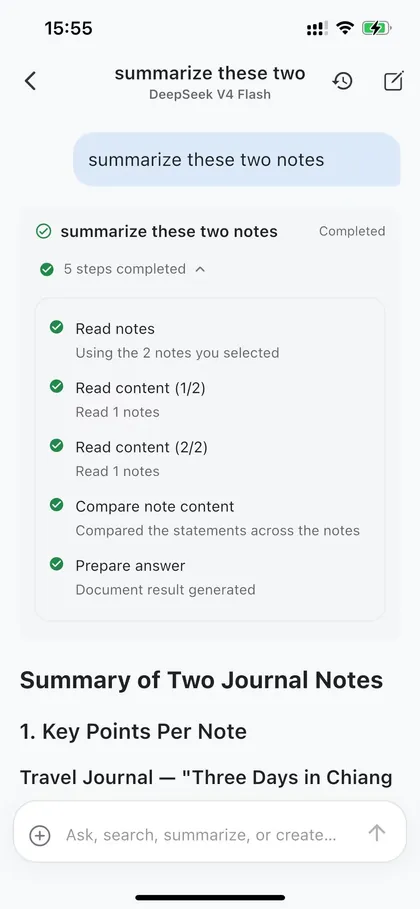
Note-aware answers
Use only the context you choose for the current task.
Inspectable results
Review the answer and check supporting sources when the experience provides them.
Confirmation before important changes
You stay in control of important writes and deletions.
Where this goes next.
Because AI works over selected notes, the answer stays connected to material you can inspect, refine, and use again rather than becoming a separate chat thread.
It works with the rest of MemoFlow.
Where to go next
Frequently asked questions
Can MemoFlow AI run tasks on a schedule?
Yes. With AI Automations, Memo Bot runs a task at the time you set — a reminder, a recurring briefing, or a check that only notifies you when something important changes — and posts the result to its own chat, where you can ask follow-up questions. Plus includes up to 5 tasks and Pro has no cap on the number of tasks; each run uses Credits and follows frequency and fair-use limits. Scheduled runs can read your notes only with your permission and never change them without your confirmation.
Bring MemoFlow into your day.
Download MemoFlow and start capturing in the way that fits the moment.
Limited-time welcome offerGet 7 days of Plus free + 50 welcome Credits. Learn more