
A lecture moves faster than handwriting. Most students end up choosing between following the argument and getting the details down, and then discover at revision time that neither one survived. MemoFlow separates the two: capture runs on the device while you listen, and the work of turning capture into understanding happens afterwards, when you have time to think.
FOR STUDENTS
Record the lecture. Keep the understanding.
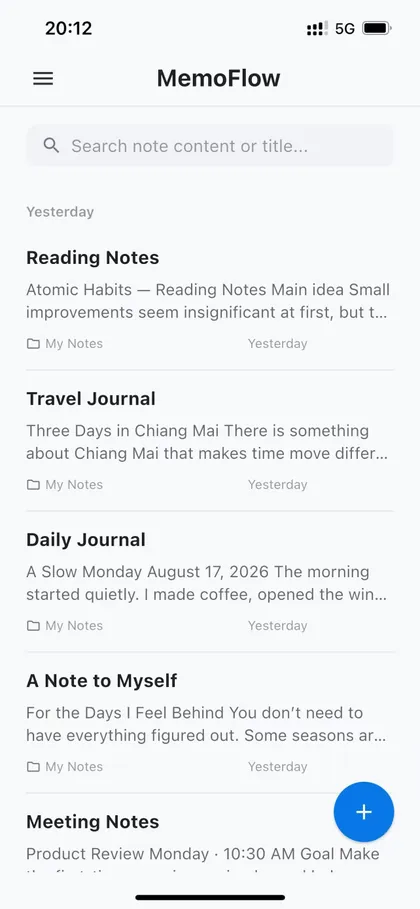
Record lectures, search the transcript, capture slides and pages with OCR, and turn a semester of material into revision notes.
JOBS TO BE DONE
What you are trying to get done
Record the lecture without missing the argument
Start a recording and follow the live transcript instead of racing the lecturer. You can look up at the board and still have the sentence you just heard.
Get a searchable transcript
The recording becomes text you can search by term, so "where did she define marginal cost" is a query rather than a scrub through forty minutes of audio.
Capture slides, handouts, and textbook pages
Point the camera at a slide or a page and OCR turns it into editable text in the same note, so diagrams-plus-caption material stops living in a camera roll.
Turn a term of material into revision notes
Ask MemoFlow AI to summarise a lecture, pull the definitions out of a week's notes, or explain a passage you flagged. It reads only the notes you choose.
IN PRACTICE
How this works across a session
01
During the lecture
Record, watch the transcript, and type a marker whenever something matters. Markers are far faster than full notes and give you somewhere to return to.
02
The same evening
Re-read the transcript, capture any slides you photographed with OCR, and let AI produce a first summary you then correct. Correcting a draft is faster than writing from a blank page — and it is where the learning happens.
03
Before the exam
Search across the term, ask for the definitions and worked examples on one topic, and export the result to PDF or DOCX if you revise on paper.
Why transcripts beat recordings for revision
An audio file is a linear medium: to find one sentence you have to move through everything around it. A transcript is a random-access medium — you search it, skim it, and quote from it. That difference is what decides whether a recording gets used again or just accumulates.
The practical test is simple. Two weeks after a lecture, can you get to the definition you half-remember in under a minute? With a transcript in a searchable note system, yes. With a folder of voice memos, almost never.
- Search by the term you remember, not the timestamp you do not
- Quote a passage straight into an essay draft or a problem set
- Keep the audio for the parts where wording matters, such as a proof
Where OCR fits in a student workflow
Most course material arrives as something you cannot type: a slide on a screen, a page in a library book, a whiteboard at the end of a seminar. Photographing it is easy; finding it again three weeks later is not, because a photo is invisible to search.
On-device text recognition turns the photo into text inside the note, so the content joins everything else you can search. Clear, upright, well-lit printed text works best; handwriting and complex tables are not guaranteed.
Using AI without outsourcing the thinking
A summary you did not check is a summary you do not know. The useful pattern is to let AI produce the first pass and then read it against the transcript, fixing what it got wrong. You end up with correct notes and, more importantly, with the memory of having corrected them.
MemoFlow AI works within the notes you select rather than across everything at once, and important changes to a note are shown for confirmation before they are applied.
Worth knowing: Check your institution's rules and get the lecturer's permission before recording. Transcription and AI output can be wrong — verify anything you rely on for an assessment.
Where to go next
Be the first to know when MemoFlow is ready.
No newsletter cadence—only the launch and essential product information.